

服务器来源:基于上个帖子大佬分享的白嫖路子。
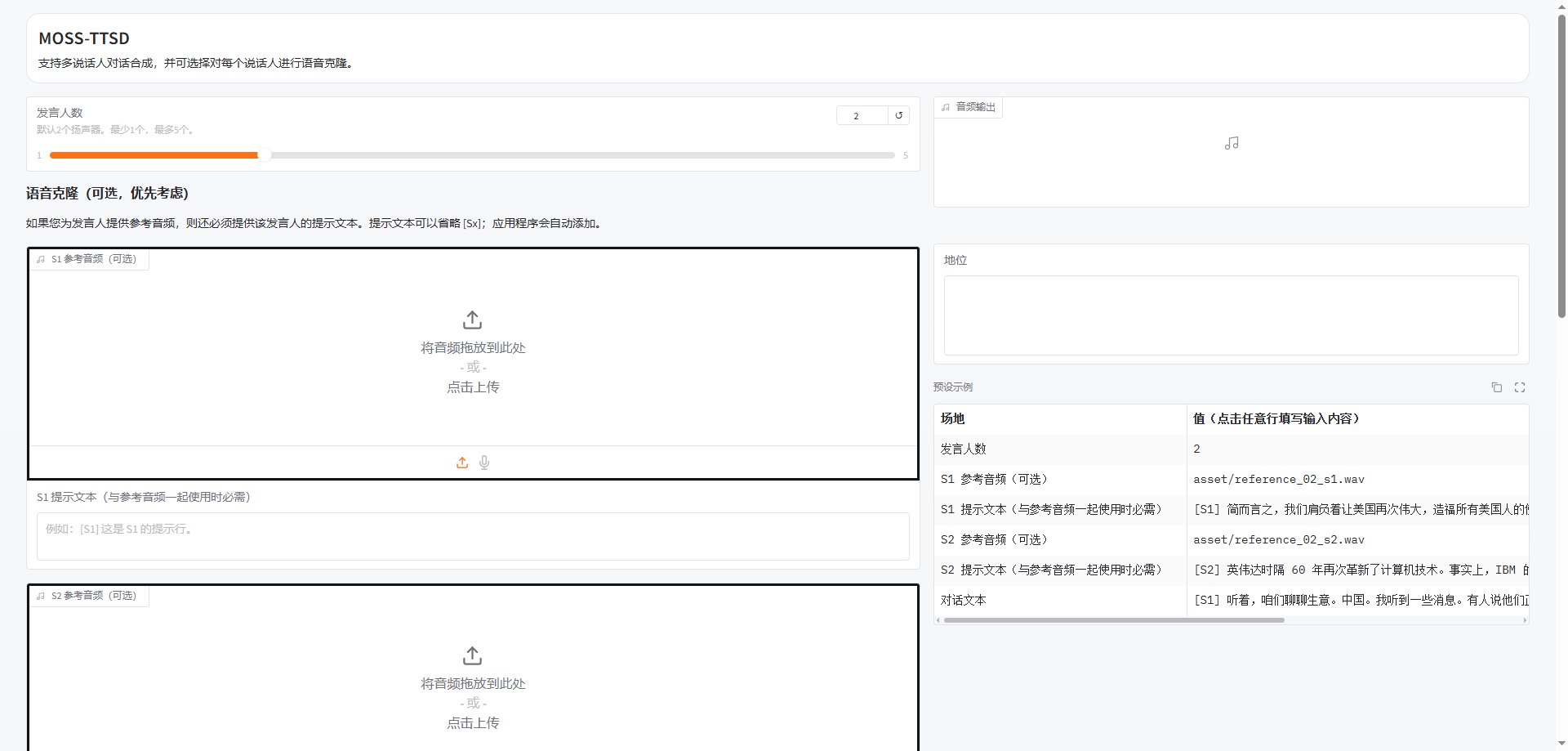
没有薅到的可以玩我部署好的:已炸膛没得玩了。你们太狠了
【教程】
项目:https://github.com/Aionara/MOSS-TTSD
骚话:MOSS-TTSD 是目前效果顶尖的开源语音合成模型,但其完整权重达 16.7GB。在 16G 内存的普通云服务器上,直接部署会导致 Out of Memory (OOM) 被系统杀掉进程(Killed)。本文分享如何在 Debian 11 环境下通过虚拟内存与 4-bit 量化技术强行“瘦身”并成功运行。
- 硬件环境
系统:Debian 11 (Bullseye) Minimal
配置:6核 CPU / 16GB RAM / 无 GPU
关键点:必须手动配置 Swap,物理内存不足以支撑模型加载。
- 核心部署步骤
第一步:系统初始化与虚拟内存(Swap)
物理内存 16G 加载 16.7G 模型必崩。我们先划出 16G 硬盘空间作为临时内存:
Bash
apt update && apt install -y git wget ffmpeg build-essential
fallocate -l 16G /swapfile
chmod 600 /swapfile
mkswap /swapfile
swapon /swapfile
echo '/swapfile none swap sw 0 0' >> /etc/fstab
第二步:环境管理(Conda)
Debian 自带 Python 版本过低,且该项目强制要求 Python 3.10+ 的语法(如 | 联合类型提示)。
Bash
wget https://repo.anaconda.com/miniconda/Miniconda3-latest-Linux-x86_64.sh
bash Miniconda3-latest-Linux-x86_64.sh -b
source ~/miniconda3/bin/activate
conda create -n moss python=3.10 -y
conda activate moss
第三步:安装依赖(CPU 优化版)
注意安装官方 CPU 版本的 PyTorch,避免安装冗余的 CUDA 驱动:
Bash
pip install torch torchvision torchaudio --index-url https://download.pytorch.org/whl/cpu
pip install gradio soundfile sentencepiece transformers accelerate librosa bitsandbytes torchao
第四步:代码魔改(4-bit 量化加载)
这是成功部署的核心。直接运行会爆内存,我们需要修改 gradio_demo.py 的第 143 行,引入 BitsAndBytesConfig 进行 4-bit 量化。
修改逻辑如下:
找到 model = AutoModel.from_pretrained(...) 所在位置。
替换为以下代码:
Python
from transformers import BitsAndBytesConfig
bnb_config = BitsAndBytesConfig(
load_in_4bit=True,
bnb_4bit_compute_dtype=torch.float16,
bnb_4bit_quant_type="nf4"
)
model = AutoModel.from_pretrained(
model_path,
quantization_config=bnb_config,
device_map="auto",
trust_remote_code=True
)
记得删掉后续的 .to(device),device_map 会自动处理
第五步:启动服务
Bash
export GRADIO_SERVER_NAME="0.0.0.0"
python gradio_demo.py
3. 踩坑总结(FAQ)
报错 TypeError: unsupported operand type(s) for |:
原因:Python 版本低于 3.10。
解法:使用 Conda 安装 Python 3.10。
报错 Killed:
原因:内存溢出。
解法:检查 Swap 是否开启成功 (free -h),并确认是否开启了 4-bit 量化。
无法通过浏览器访问:
解法:控制面板开启 7863(或 7860)端口入站规则。
- 运行效果
加载完成后,内存占用约稳定在 7G-9G。虽然 CPU 模式生成速度较慢,但音质依然保持了 MOSS-TTSD 的极高水准!
补充说明:1、所用该项目生成内容均由制作人承担后果与本人无关。
2、另外蹬坏了,不保修。






swap大法好
曾经在一个超级小内存,好像只有512M还是256M的小鸡上编译软件,编译不过后我立刻猜到是内存不足,反手加了大概1G还是2G的swap文件,立马编译过了
可以转载吗 带原文地址
部署好后,会一直运行吗?不会被回收吗 ?
@yanling666 #2 可以
@pan8664716 #3 不被蹬坏可以一直玩
OK https://blog.caowo.de/posts/moss-ttsd-16g-server-deployment-guide/
语音模型有啥用啊
把fp32 量化为int4吗?效果会下降多少呢?楼主有没有测过
@菜德斯 #0
楼主 家的宠物,真可爱~

@菜德斯 #0
感谢!