
logo NodeSeekbeta

WinPE 生成器 PhoenixPE Win10XPE wimbuilder2

PhoenixPE

https://github.com/PhoenixPE/PhoenixPE

https://github.com/PhoenixPE/PhoenixPE/releases

PhoenixPE is a WinPE Rescue/Recovery Environment based on Win10/Win11. It can be booted via USB, CD/DVD, PXE/Network, or hard disk.

  • PhoenixPE uses the "next-generation" PEBakery engine resulting in faster build times and advanced features compared to legacy Winbuilder projects.
  • Build from Win10/Win11 sources using either boot.wim or WinRE.wim as a base.
  • Designed from the ground up to be developer/contributor friendly and use clean, well documented code.
  • Easy to understand options and uncluttered user interface.
  • Flexible architecture.
  • PEBakery's powerful scripting language allows extensive customization.

Features

  • Drive Backup/Clone/Imaging
  • Malware Removal
  • Password Recovery
  • File Recovery
  • Forensics Tools
  • Drive Partitioning/Install Prep.
  • Hardware Diagnostics
  • Offline OS Troubleshooting/Repair/Recovery
  • And more...

PhoenixPE includes a variety of carefully selected applications to get you started and PEBakery's user friendly scripting language makes it easy for you create your own scripts and customize PhoenixePE with your favorite apps and settings.
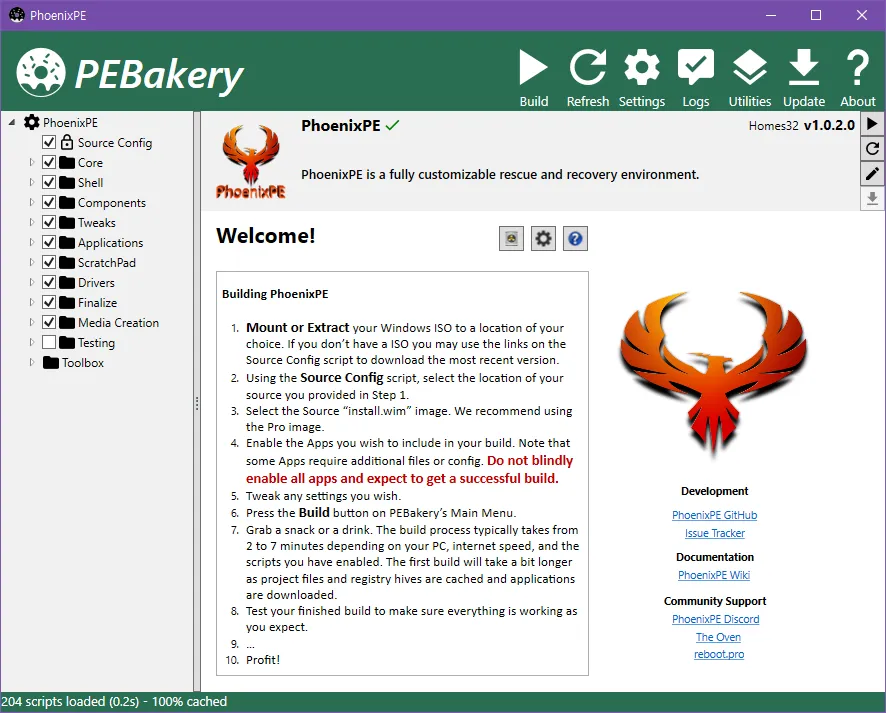
Win10XPE

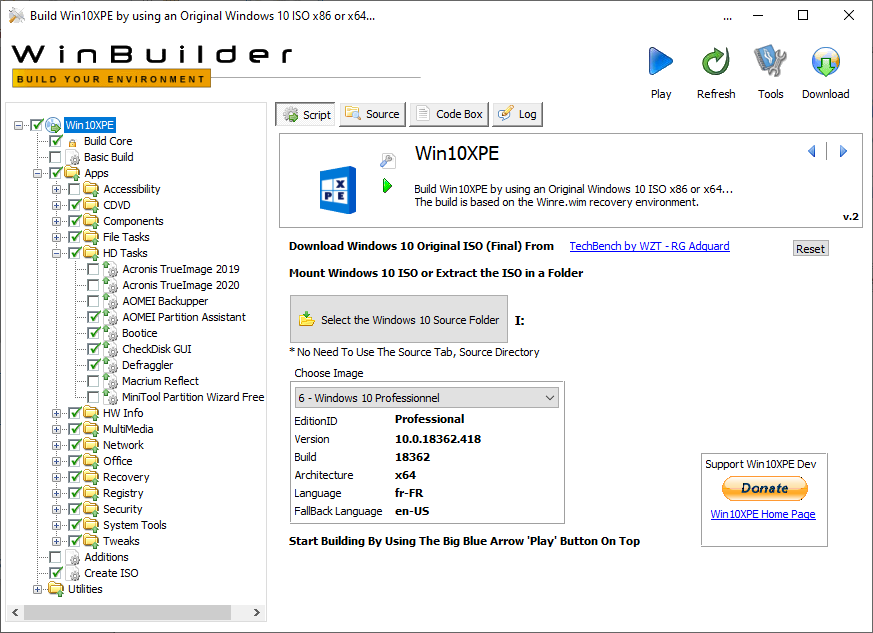
https://github.com/ChrisRfr/Win10XPE

https://github.com/ChrisRfr/Win10XPE/releases

Win10XPE will help you build a lightweight desktop Windows 10 or Windows 11 Preinstallation Environment (WinPE) for performing tasks or troubleshooting a Windows OS while it is Offline or for installing a Windows OS. It can be booted via USB drive, CD-ROM, or hard disk.

Uses of WinPE:

  • Set up your hard drive and prepare it for installing a Windows OS
  • Troubleshoot problems with the OS
  • Clone or Image a Windows system and later Restore it
  • Make changes to the Windows OS, when needed
  • Perform Recovery operations
  • Recover data from unbootable devices
  • And more…

The Project was on TheOven.org Forum: Win10XPE Project - or rather on the old Win10XPE Project forum

The Project is also on TenForums Forum: Win10XPE - Build Your Own Rescue Media, followed by Win10XPE - Build Your Own Rescue Media (2)
with updates and additional 3rd party Apps

Win10XPE is a complete project based on Windows 10 or Windows 11 Recovery Environment with many windows features added. Based on a new Concept, its main objective is to be simple, user-friendly and to be as fast as possible. Use the many XPE plugins available to customize your build to your taste.
wimbuilder2

https://github.com/slorelee/wimbuilder2

https://github.com/slorelee/wimbuilder2/releases

https://gitee.com/slorelee/wimbuilder2/tree/master

特点:

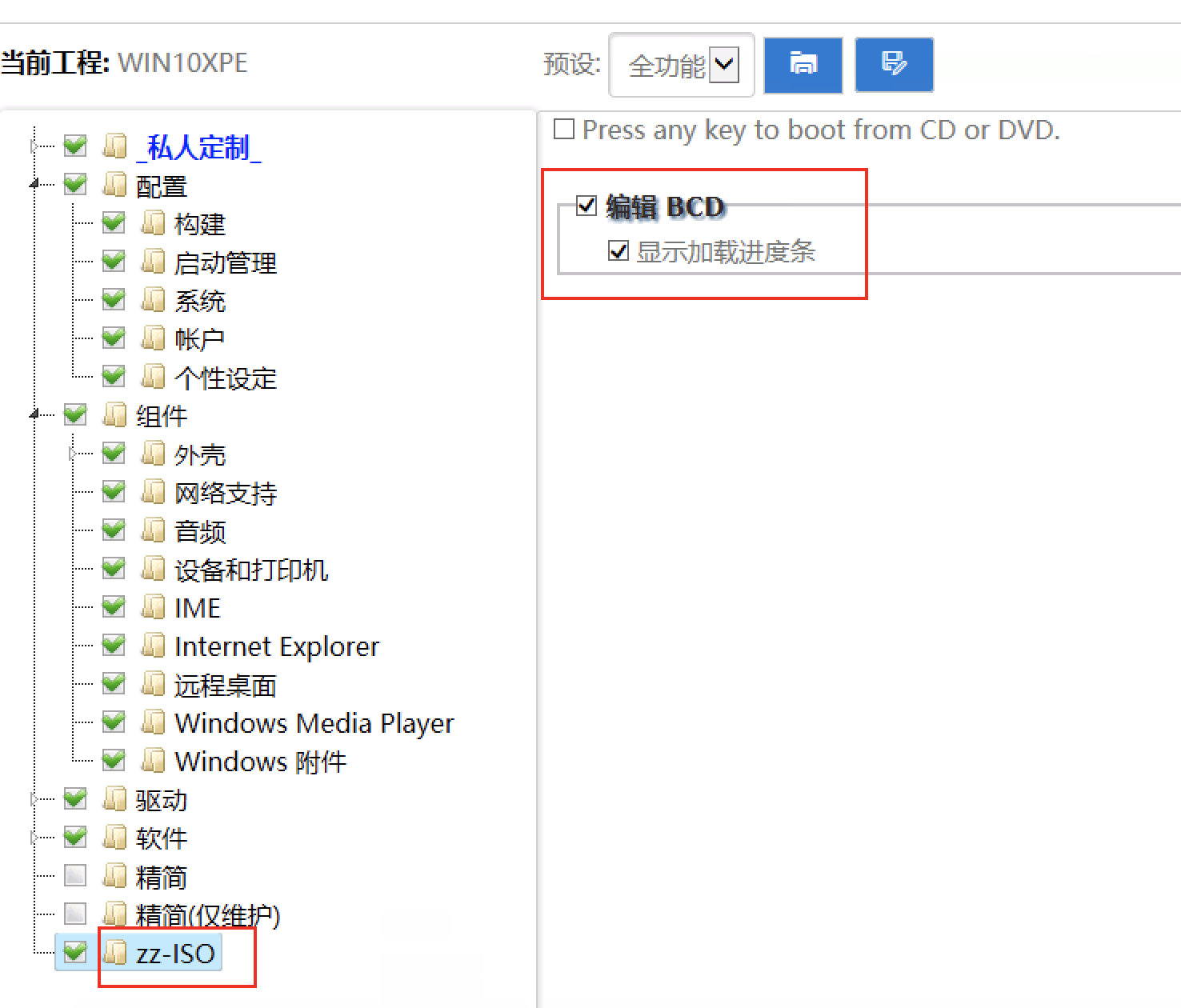
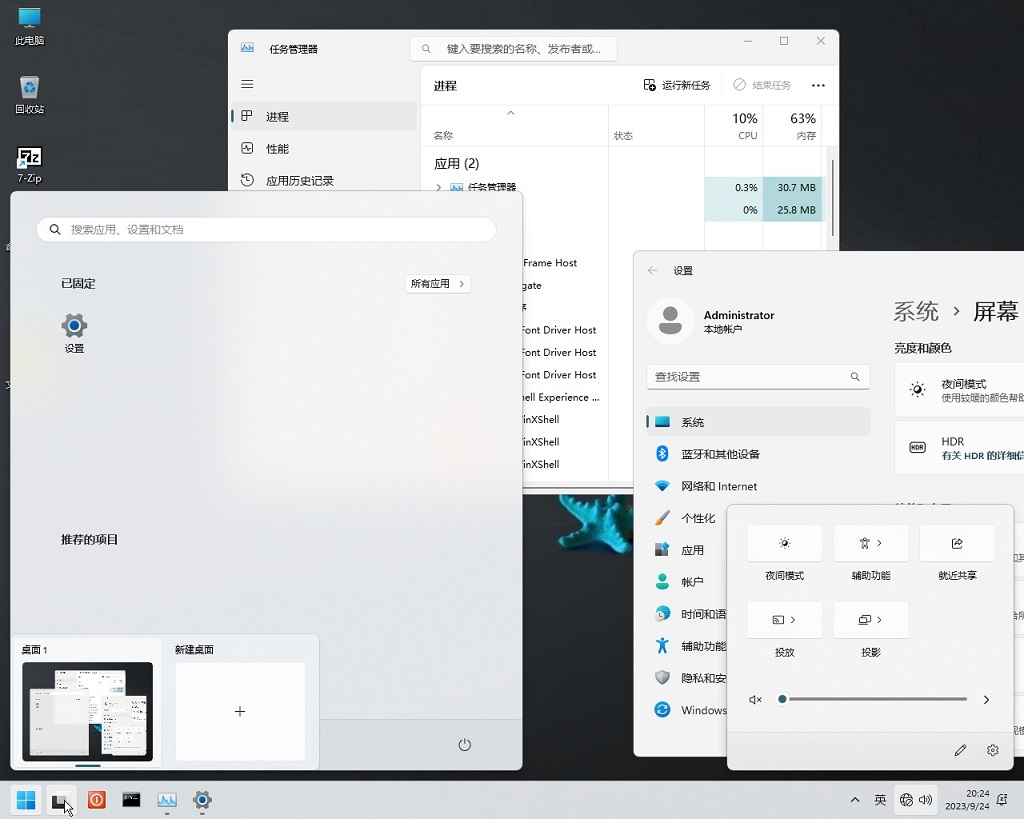
  • 纯脚本打造,小,简单,快速且可自由修改所有功能, 所作更改, F5刷新即生效, 不用编译, 不用打包, 不用安装
  • 利用wimlib直接从install.Wim提取所需文件,省去挂载卸载install.wim时间,生成速度非常快
  • 使用TrustInstaller权限启动, 不需要对文件,注册表进行权限修改,生产速度更快
  • 设定界面采用HTML, 随改F5刷新即可见, 支持目前绝大部分HTML5语法, 更做出更炫,更自由的设定界面(还可以使用js脚本, 动态改变)
  • 对系统功能所需文件,注册表从结构上独立成单个功能补丁, 便于学习, 和给更多版本参考共用
  • 为增删改Wim内容提供便利宏命令(批处理),制作补丁不用写复杂脚本, 使用简单的文件列表, 注册表信息即可,功能补丁制作学习曲线低
  • 脚本自身(js),界面(html),补丁(bat)均采用广为人知的脚本语法,普通用户可利用常用宏,懂bat等即可创建自定义宏
  • 自定义设定界面, 自定义组件功能补丁完全独立,可以给不同工程共用
  • 界面,脚本,功能补丁支持国际化

运行环境:Windows 7~Windows Server 2019未精简系统。
原生boot.wim(2)/wimre.wim环境(默认带HTA组件(mshta.exe, mshtml.dll)的版本【Win10的已测试】)。
12
  • bd

  • 与普通pe区别:可以在pe里自定义软件和界面?

  • 比老毛桃好就行,用过老毛桃深度的都知道。暗装一堆垃圾软件

  • @吾日三省 #3 发布于2024/11/19 09:24:52
    比老毛桃好就行,用过老毛桃深度的都知道。暗装一堆垃圾软件

    会不会被安装挖矿的或病毒。国内哪些pe干净点。

  • 一直用HotPe 其他的估计也用不习惯了

  • @Me #5 发布于2024/11/19 10:25:24
    一直用HotPe 其他的估计也用不习惯
    有广告吗,或者有捆绑吗

  • @telnetnode #6 用了大半年,没发现有啥广告,他模块都是基于线上的

  • @Me #7

    请教下载这个文件之后怎么用呢?

    https://github.com/VirtualHotBar/HotPEToolBox/releases

    https://github.com/VirtualHotBar/HotPEToolBox/releases/download/240201/HotPE-V2.7.240201.7z

    # linux-tree                                                            
    .                                                                       
    |-- Data                                                                
    |   |-- AUTORUN.INF                                                     
    |   |-- HotPE                                                           
    |   |   |-- HotPE.INI                                                   
    |   |   |-- confi.ini                                                   
    |   |   `-- \304\277\302\274\313\265\303\367.txt                        
    |   |-- HotPE.ico                                                       
    |   `-- HotPEModule                                                     
    |       |-- HotPE\273\371\264\241\260\374_VirtualHotBar_2.7.240201_HotPE
    |       `-- \304\277\302\274\313\265\303\367.txt                        
    `-- EFI                                                                 
        |-- BOOTMGR                                                         
        |-- Boot                                                            
        |   |-- bcd                                                         
        |   |-- fonts                                                       
        |   |   `-- wgl4_boot.ttf                                           
        |   `-- resources                                                   
        |       `-- bootres.dll                                             
        |-- EFI                                                             
        |   |-- BOOT                                                        
        |   |   `-- bootx64.efi                                             
        |   `-- MICROSOFT                                                   
        |       `-- BOOT                                                    
        |           |-- BCD                                                 
        |           |-- fonts                                               
        |           |   `-- wgl4_boot.ttf                                   
        |           |-- memtest.efi                                         
        |           `-- resources                                           
        |               `-- bootres.dll                                     
        |-- HotPE                                                           
        |   |-- Data                                                        
        |   |   `-- Drives                                                  
        |   |       |-- Network.7z                                          
        |   |       |-- Network.index                                       
        |   |       `-- \313\265\303\367.txt                                
        |   |-- Font                                                        
        |   |-- Kernel.SDI                                                  
        |   |-- Kernel.wim                                                  
        |   |-- MAXDOS.IMG                                                  
        |   |-- Menu.INI                                                    
        |   `-- boot1                                                       
        |-- NTLDR                                                           
        `-- ventoy.dat                                                      
                                                                            
    16 directories, 27 files                                                
    
  • @zxxx #8
    更简单的办法:
    电脑下个Ventoy,装空U盘里,然后把ISO文件直接扔U盘里
    适用所有pe及win&linux iso文件

    image
    image

  • bd

12

你好啊,陌生人!

我的朋友,看起来你是新来的,如果想参与到讨论中,点击下面的按钮!

📈用户数目📈

目前论坛共有61018位seeker

🎉欢迎新用户🎉