

大家可关注我的新Telegram频道,以获取更多相关信息和更新。感谢您的关注!
https://t.me/kkkkkcat/ 
完整文章:https://kkcat.blog/posts/google-gcp-spot-script-2024/
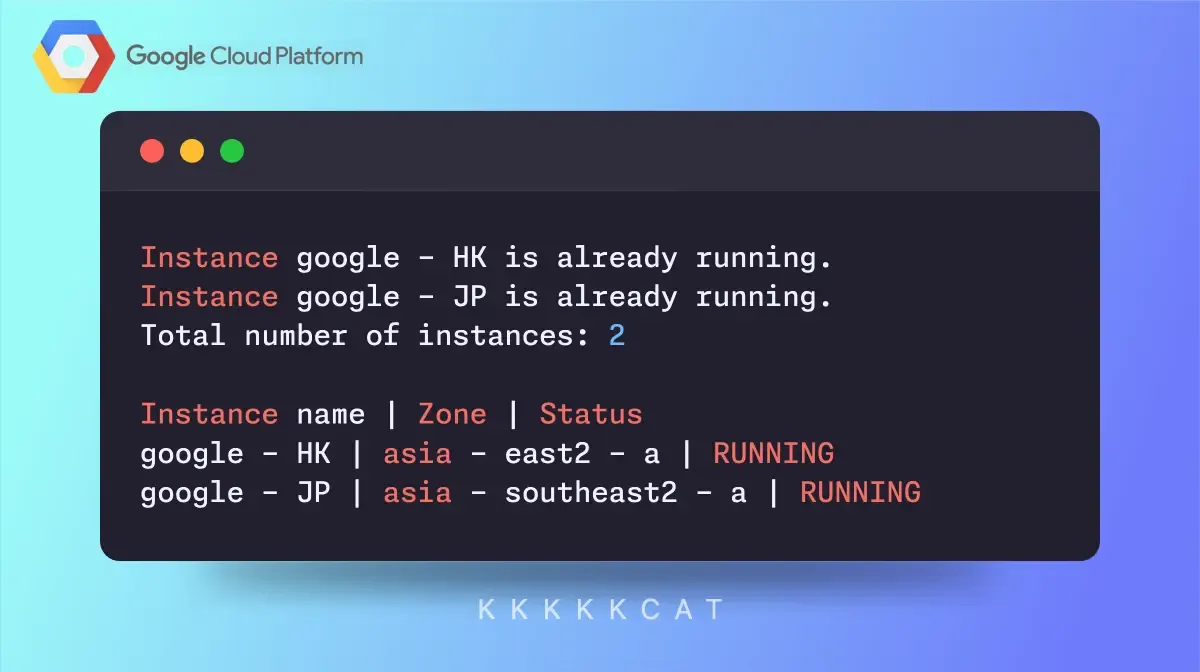
介绍
本文将介绍一个Python脚本,自动检查并启动处于非运行状态的GCE(Google Cloud Compute Engine)实例,以确保其持续可用。
需求
-
在开始之前,请确保您已经具备以下条件:
-
安装了Google Cloud SDK。
-
配置了正确的GCP项目,并下载了服务账号的JSON密钥文件。
-
在您的系统中安装了google-cloud-compute库:
pip install google-cloud-compute
脚本功能
这个Python脚本将执行以下任务:
列出所有区域中的所有GCE实例。
检查每个实例的状态。
启动所有处于非运行状态的实例。
每5分钟重复执行上述任务,以确保实例的持续可用性。
设置服务账号密钥:
- API和服务 -> 凭证 -> 服务帐户(默认那个即可) -> 金钥 -> 新增金钥(json档)
- project ID看图取

脚本代码
import os
import time
from google.cloud import compute_v1

def start_instance_if_not_running(project_id, zone, instance_name):
    instance_client = compute_v1.InstancesClient()
    instance = instance_client.get(project=project_id, zone=zone, instance=instance_name)

    if instance.status != "RUNNING":
        print(f"Instance {instance_name} is not running. Starting the instance.")
        operation = instance_client.start(project=project_id, zone=zone, instance=instance_name)
        wait_for_operation(project_id, zone, operation.name)
        instance = instance_client.get(project=project_id, zone=zone, instance=instance_name)
        print(f"Instance {instance_name} is now {instance.status}.")
    else:
        print(f"Instance {instance_name} is already running.")

    return instance.status

def wait_for_operation(project_id, zone, operation_name):
    operation_client = compute_v1.ZoneOperationsClient()
    while True:
        result = operation_client.get(project=project_id, zone=zone, operation=operation_name)
        if result.status == "DONE":
            if result.error:
                raise Exception(f"Error during operation: {result.error}")
            print("Operation finished successfully.")
            break
        time.sleep(5)

def list_and_start_instances(project_id):
    compute_client = compute_v1.InstancesClient()
    zones_client = compute_v1.ZonesClient()

    result_table = "Instance name | Zone | Status\n\n"

    zones = zones_client.list(project=project_id)
    instances_count = 0

    for zone in zones:
        zone_name = zone.name
        request = compute_v1.ListInstancesRequest(project=project_id, zone=zone_name)
        response = compute_client.list(request=request)

        for instance in response:
            instances_count += 1
            status = start_instance_if_not_running(project_id, zone_name, instance.name)
            result_table += f"{instance.name} | {zone_name} | {status}\n"

    print(f"Total number of instances: {instances_count}")
    print(result_table)

if __name__ == "__main__":
    os.environ["GOOGLE_APPLICATION_CREDENTIALS"] = "xxxxxxxxxx.json"
    project_id = "xxxxxxxxxxxxx"

    while True:
        list_and_start_instances(project_id)
        time.sleep(300)
代码解释
- 设置服务账号密钥:
os.environ["GOOGLE_APPLICATION_CREDENTIALS"] = "xxxxxxxxxx.json"
这行代码指定了服务账号密钥文件的路径,以便脚本能够使用正确的凭证访问GCP资源。
- 启动非运行状态实例:
def start_instance_if_not_running(project_id, zone, instance_name):
    # 获取实例状态
    instance_client = compute_v1.InstancesClient()
    instance = instance_client.get(project=project_id, zone=zone, instance=instance_name)

    if instance.status != "RUNNING":
        print(f"Instance {instance_name} is not running. Starting the instance.")
        operation = instance_client.start(project=project_id, zone=zone, instance=instance_name)
        wait_for_operation(project_id, zone, operation.name)
        instance = instance_client.get(project=project_id, zone=zone, instance=instance_name)
        print(f"Instance {instance_name} is now {instance.status}.")
    else:
        print(f"Instance {instance_name} is already running.")

    return instance.status
-
等待操作完成:
def wait_for_operation(project_id, zone, operation_name): operation_client = compute_v1.ZoneOperationsClient() while True: result = operation_client.get(project=project_id, zone=zone, operation=operation_name) if result.status == "DONE": if result.error: raise Exception(f"Error during operation: {result.error}") print("Operation finished successfully.") break time.sleep(5) -
列出并启动实例:
def list_and_start_instances(project_id):
 compute_client = compute_v1.InstancesClient()
 zones_client = compute_v1.ZonesClient()

 result_table = "| Instance name | Status |\n"

 zones = zones_client.list(project=project_id)
 instances_count = 0

 for zone in zones:
     zone_name = zone.name
     request = compute_v1.ListInstancesRequest(project=project_id, zone=zone_name)
     response = compute_client.list(request=request)

     for instance in response:
         instances_count += 1
         status = start_instance_if_not_running(project_id, zone_name, instance.name)
         result_table += f"| {instance.name} | {zone_name} | {status} |\n"

 print(f"Total number of instances: {instances_count}")
 print(result_table)
该函数遍历所有区域中的所有实例,并检查每个实例的状态,必要时启动实例。
-
主循环:
if __name__ == "__main__":
 project_id = "xxxxxxxxxxxxx"

 while True:
     list_and_start_instances(project_id)
     time.sleep(300)
这个主循环每5分钟运行一次list_and_start_instances函数,以确保所有实例持续可用。
结论
通过这个Python脚本,可以自动化管理GCP中的虚拟机实例,确保它们始终处于运行状态。
如果您有更多的实例或区域需要管理,可以根据需要扩展这个脚本。






感谢分享。
看看
好文
感谢分享
好好好
很好奇,除了ban,什么情况下会停机
@gaoyan #6 抢占实例
@feijiaa1 #7 没用过,怎么玩,麻烦大佬来个ABC
好东西
不是,你们都部署的抢占式?